
Adobe Firefly: AI Generator
AdobeArt & Design
4.4614.00 Reviews
- Version
- 26.06.26
- Installs
- 1.00M
- Age Rating
- Everyone
Screenshots
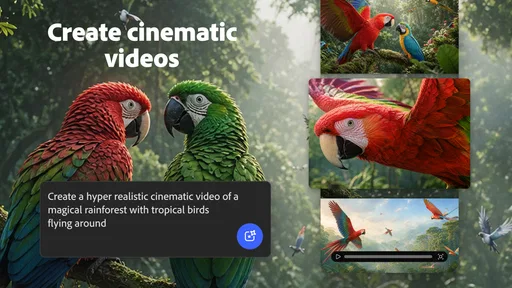
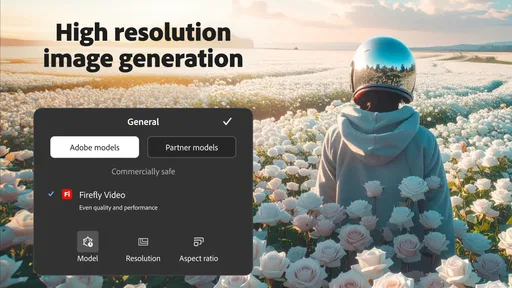
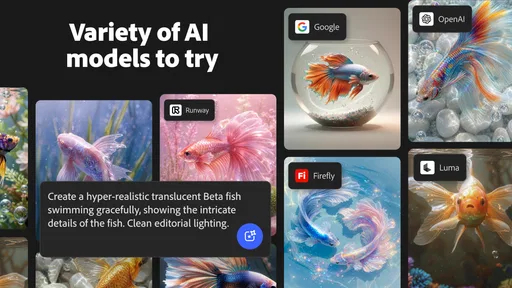
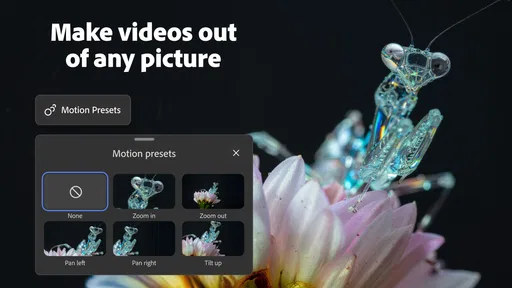

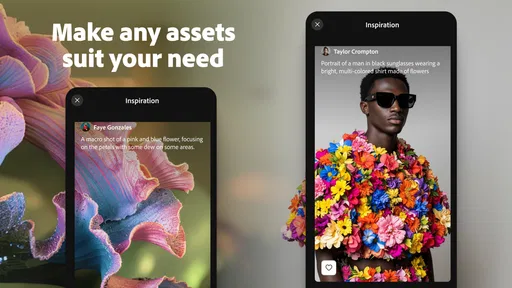
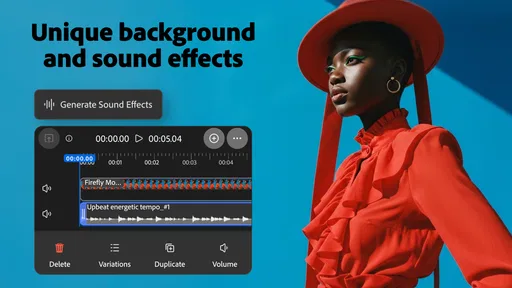
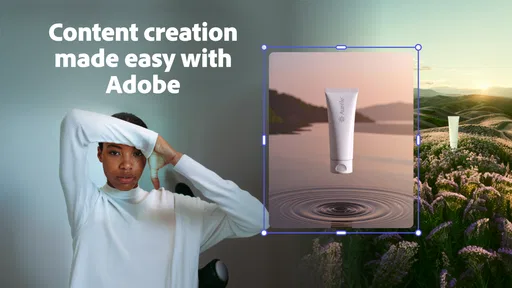
Our Review of Adobe Firefly: AI Generator
 Analysis by Appyee
I find Adobe Firefly: AI Generator most useful when I have a visual idea but need help turning it into something I can actually share. It sits in the art-and-design space, with Adobe’s generative tools at its center, and it’s aimed at both casual experimentation and more considered creative work. The app is free to install, though in-app purchases range from $4.99 to $49.99 per item, so I’d explore the free experience before deciding whether paid options suit your routine.
Where Firefly fits today
The appeal is immediacy: you can begin with a written idea rather than a finished drawing or a set of editing skills. That makes Firefly handy for exploring concepts, building visual references, or finding a direction when a blank canvas feels unhelpful. I see it less as a replacement for a full desktop art program and more as a way to get from “I have an idea” to “I have something to react to.”
That distinction matters. Generated imagery can be a useful starting point, but it may not match a precise mental picture on the first attempt. I get better results by treating each output as a draft: identify what is working, adjust the description, and try again with one or two clear changes rather than rewriting everything at once. It is a small habit that makes the process feel more deliberate and less like pulling a random result from a slot machine.
A practical way to work with prompts
When I’m trying to make a specific image, I describe the subject, setting, mood, and composition separately. For example, a request for a small café poster can mention the main object, the time of day, the feeling I want, and where open space should remain for text. This gives the app more direction than a string of loosely related style words, and it also makes it easier to see which part of my brief needs changing when the result misses.
I’d keep the first prompt focused, then refine only the part that needs work. If the lighting is right but the subject is awkward, changing the lighting language as well can muddy the experiment. Saving a few useful prompt versions in a note outside the app can help, too: it gives you a starting point for a matching set of visuals and avoids rebuilding a good description from memory.
Who is likely to enjoy it
Firefly is a natural fit for people who want to brainstorm visual ideas without first learning a complicated drawing workflow. A student planning a presentation, a small business owner sketching a campaign direction, or someone making a personal invitation can use generated art to explore possibilities quickly. It can also help an experienced designer create rough references before moving into a more controlled editing environment.
On the other hand, I wouldn’t choose it as my only tool for work that depends on exact brand consistency, careful typography, or precise control over every pixel. AI-generated images may need editing elsewhere before they are ready for a polished layout. If your main goal is to draw by hand, edit a photograph with detailed manual controls, or produce a file in a strict professional workflow, a dedicated drawing or image editor is likely a better home base.
A real-world use case
Imagine you’re helping a friend announce a weekend market and need a quick image for a social post. You could use Firefly to explore a few visual directions—perhaps a warm, handmade look, then a cleaner and more modern one—before deciding which better suits the event. Once you have a promising concept, you can save it and finish the announcement in a layout app, where the date, location, and readable text can be placed with more control.
That division of labor is one of the most useful ways to approach generative art on a phone. Firefly can help with visual exploration, while a conventional design tool can handle the details that need to stay exact. I wouldn’t assume that a generated picture is automatically a finished poster; checking the composition, small visual details, and space for text is still part of the job.
What the latest release tells me
The Android app’s current version is 25.11.13, and it was released on June 17, 2025. Those details give users a clear reference point for the edition they are considering, but they don’t by themselves establish what changed between releases. I’d treat the version as a practical compatibility check rather than a promise that a particular tool or workflow has just been added.
For existing users, the sensible approach is to keep the app current when a new version is available and test important projects after updating. If you rely on a familiar sequence of steps, notice whether your usual prompt-and-refine routine still feels comfortable before starting a time-sensitive piece. The app has a 4.6 average from around 20,000 ratings and more than a million installs, which suggests broad interest, but those figures can’t tell you whether its particular creative style will suit your own needs.
The Magic of AI Artistry
First things first, Adobe Firefly: AI Generator is designed to help you whip up stunning visuals with the power of AI. You know that feeling when you have a creative idea but not the skills to bring it to life? Yep, been there. This app is like having a digital art studio in your pocket. It's intuitive and pretty easy to navigate, even if you're not a tech wizard.
Getting Started
Installing the app is a breeze, and it's available for both Android and iOS. Once you fire it up, you're greeted with a sleek, modern interface. I’m talking about a layout that's not only aesthetically pleasing but also user-friendly. You won't find yourself lost in a maze of options. Instead, everything is neatly organized, making it easy for anyone to jump right in.
Right off the bat, you can start creating by selecting from a variety of templates or starting from scratch. The app offers a plethora of tools and effects that let you manipulate images in ways you probably haven’t even thought of yet. It's like having a toolbox full of magic tricks!
The Creative Toolkit
Now, let's talk about the real fun part—the tools. The app boasts an impressive array of features, from basic editing tools to advanced AI-driven options. You can adjust colors, tweak lighting, and apply filters with just a few taps. But where it truly shines is in its AI capabilities. The AI can generate elements, suggest enhancements, and even create entire compositions based on your inputs.
One of my favorite features is the ability to transform a simple sketch into a detailed piece of art. It's like watching a time-lapse of a masterpiece being created, but you're the artist. You can also use the app’s AI to generate unique textures and patterns, which is perfect for those who like adding layers of depth to their work.
Making the output more useful
A practical tip is to think about the final destination before you generate an image. A square social graphic, a phone wallpaper, and a reference image for a larger project each call for different framing. If you have a particular use in mind, say so in your prompt and leave breathing room where later text or other design elements will go. It’s easier to build around a composition that already has space than to squeeze copy into a busy image afterward.
I also recommend separating exploration from finishing. Make a few variations while you’re still deciding on the concept, then choose one direction and spend your effort refining that rather than endlessly generating alternatives. This keeps the app useful for decision-making instead of turning a simple task into an open-ended scroll through possibilities. For a coherent series, reuse the same core description and change just the subject or setting; the results may still vary, but a consistent brief gives you a better chance of maintaining a shared mood.
Generated results deserve a close look before you share them. Check faces, hands, small lettering, repeated patterns, and the edges of objects, especially when the image will be viewed large. A picture that reads well as a thumbnail can reveal distracting details when opened full size. I’d also keep an original or a saved version of the prompt alongside a promising result, so you can revisit the direction instead of trying to reconstruct it later.
Sharing and Saving
Once you've created something you're proud of, sharing it is a cinch. The app allows you to export your creations in various formats, making it easy to share on social media or save to your device. The quality of the exported images is top-notch, so you don't have to worry about pixelation or loss of detail.
Oh, and if you're something of a perfectionist like me, you'll appreciate the app's ability to save your projects in layers. This means you can go back and tweak individual elements without having to start from scratch. Handy, right?
What to expect from the workflow
For quick personal projects, the phone-first approach is convenient: you can test an idea while waiting for a ride or make a visual reference without sitting down at a computer. More involved work is a different story. A small screen can make detailed review and repeated adjustments tiring, so I’d use mobile for ideation and straightforward edits, then move to a larger screen when precision and careful layout become important.
People often wonder whether they need artistic experience to get value from Firefly. I don’t think so; clear descriptions and patient iteration matter more at the beginning than drawing ability. But familiarity with composition helps you judge whether an output actually serves its purpose. The app can generate an image, while you still decide if the subject is clear, the balance feels right, and the result communicates what you intended.
Room for Improvement
While Adobe Firefly: AI Generator is a solid app, it’s not all sunshine and rainbows. There are a few areas that could use some polishing. For instance, some of the more advanced features might have a bit of a learning curve. If you're not familiar with digital art tools, it might take a while to get the hang of everything the app offers.
Additionally, depending on your device, there might be occasional lag or slow loading times, especially when working with larger files. It’s not a deal-breaker, but something to keep in mind.
Limits worth considering
The biggest trade-off for me is that convenience doesn’t equal exact control. A generated composition can be visually appealing yet still miss a specific object placement or repeatable style. If you need the same character, product, or branded element to look identical across a whole campaign, plan on reviewing and editing each result rather than expecting a prompt alone to lock everything down.
There is also a difference between making an image and finishing a design. Text-heavy materials, diagrams, precise product mockups, and layouts with strict spacing usually benefit from a dedicated design app. Firefly is strongest when the visual itself is the thing you need to explore; it’s less compelling when the hard part is exact typography or a technically constrained final file. If that describes your project, use it for inspiration at most, then complete the work in a tool built for those requirements.
The app is free to start, but the presence of in-app purchases means I would check the available options and their cost before building a routine around anything that requires payment. The age rating is Everyone, so it is broadly accessible, though younger users may still benefit from guidance about evaluating generated images and using them thoughtfully. For Android, the minimum operating-system requirement is version 10, which is worth checking before installation.
What I’d watch next
Because the app is actively identified by a version number, it’s reasonable to keep an eye on future releases for changes that affect the way you create. I wouldn’t assume a particular feature is coming; instead, I’d look for practical improvements that make prompting, revising, and moving a finished image into the rest of a project feel smoother. If you already depend on Firefly, testing a new release with a non-urgent project first is a sensible way to see whether your workflow has changed.
Compared with a traditional drawing app, Firefly asks less of your hand skills and more of your ability to describe and evaluate an idea. Compared with a general-purpose photo editor, it puts creative generation closer to the center, rather than making every result depend on manual retouching. That makes it a useful companion for brainstorming, but not a universal replacement: artists who want direct brush control and editors who need meticulous corrections will still be better served by tools designed around those tasks.
Final Thoughts
Overall, Adobe Firefly: AI Generator is a game-changer for anyone interested in digital art. Its blend of intuitive design and powerful AI features makes it a standout choice for both beginners and seasoned artists. Whether you're looking to create something quick and fun or dive deep into a complex project, this app has got you covered.
If you’re eager to explore new creative horizons or just want to play around with some cool tech, give Adobe Firefly a go. It might just be the spark you need to ignite your creative journey. Happy creating!
My recommendation in brief
I’d try Firefly if you enjoy visual experimentation, need quick concept art, or want a low-friction way to explore a mood before committing to a finished design. I’d skip it as a primary tool if your work depends on precise manual drawing, predictable brand assets, or detailed production control. Adobe has made an approachable entry point for AI-assisted creativity; the best results come when you bring a clear purpose and a careful eye, rather than expecting the app to make every creative decision for you.
Verdict
Strengths of Adobe Firefly: AI Generator
- User-friendly interface for beginners.
- Wide range of AI-generated effects.
- Seamless integration with Adobe products.
- Fast rendering of complex graphics.
- Regular updates with new features.
Limitations of Adobe Firefly: AI Generator
- Requires an Adobe subscription.
- Limited free version capabilities.
- High system requirements for smooth use.
- Occasional lag on older devices.
- Learning curve for advanced features.
Other Releases by Adobe
View All
Adobe Acrobat Reader: Edit PDF
Productivity4.5

Photoshop Express Photo Editor
Photography4.6

Adobe Scan AI PDF Scanner, OCR
Business4.6

Lightroom Photo & Video Editor
Photography4.5
Similar Picks in This Category
View All
Canva: AI Photo & Video Editor
Canva4.8

PENUP – Drawing-sharing SNS
Samsung Electronics Co., Ltd.4.5

Crafto
Kutumb App4.6

Sketchbook
Sketchbook4.1

ibis Paint X
ibis inc.4.5

Adobe Express: AI Photo, Video
Adobe4.6
Frequently Asked Questions
What is Adobe Firefly: AI Generator used for?
Adobe Firefly: AI Generator is an innovative tool designed to assist users in creating stunning AI-generated artwork and graphics. It leverages advanced machine learning algorithms to turn simple inputs into complex and visually appealing designs. This app is ideal for both professional designers and hobbyists looking to enhance their creative projects.
Is Adobe Firefly: AI Generator suitable for beginners?
Yes, Adobe Firefly: AI Generator is designed to be user-friendly, making it accessible for beginners. It offers intuitive controls and comprehensive tutorials to help users understand how to harness the power of AI in their designs. Whether you're new to digital art or an experienced designer, the app provides tools to suit all skill levels.
What are the main features of Adobe Firefly: AI Generator?
Adobe Firefly: AI Generator includes a variety of features such as AI-driven art generation, customizable templates, and seamless integration with other Adobe Creative Cloud applications. Users can explore different styles, utilize pre-made design elements, and enjoy real-time editing capabilities to create unique and personalized artwork.
Are there any subscription costs or in-app purchases in Adobe Firefly: AI Generator?
Adobe Firefly: AI Generator may require a subscription to Adobe Creative Cloud, which includes access to a range of Adobe apps and services. While the app itself offers a free trial, certain advanced features and resources might require additional in-app purchases or a subscription plan to unlock full functionality.
Can Adobe Firefly: AI Generator be used on both Android and iOS devices?
Yes, Adobe Firefly: AI Generator is available on both Android and iOS platforms, ensuring a wide range of compatibility across mobile devices. Users can download the app from the Google Play Store or the Apple App Store, allowing them to create on-the-go with ease and flexibility.
